 Network Tools & Testers
 Cat5e Ethernet Cables
 Cat6 Ethernet Cables
 Cat6a Ethernet Cables
 Cat8 Cables
 Bulk Ethernet Cables
 Connectors & Jacks
 Cable Management
 OS2 Singlemode Simplex
 OS2 Singlemode Duplex
 OM3 Multimode Fiber
 OM4 Multimode
 OM2 Multimode
 OM5 Multimode
 MTP/MPO Cables
 Patch Cables Custom
 Fiber Optic Components
 Cleaners & Tools
 DisplayPort Cables
 Mini DisplayPort Cables
 HDMI Cables
 HDMI Mini/Micro Cables
 DVI Cables
 VGA Cables
 Audio Cables
 Thunderbolt Cables
 USB-C Cables
 USB 3.0 Cables
 Power Cables
 SATA Cables
 Serial Cables
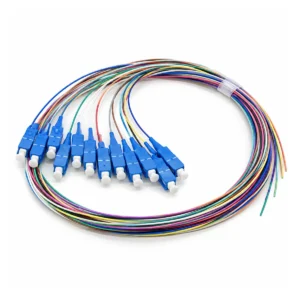
A fiber optic pigtail is a fiber assembly with a connector installed on one end and an unterminated fiber end on the other. The connectorized end plugs into a compatible adapter, while the bare end is commonly spliced to an incoming fiber cable inside an optical distribution frame (ODF), splice tray, or termination enclosure.
Choosing a pigtail is not only about selecting LC or SC. Fiber type, connector polish, fiber count, length, cable construction, and the planned splice arrangement must all match the installation. This guide explains the checks to make before ordering.
What Is a Fiber Optic Pigtail?
A pigtail provides a connectorized interface at one end while leaving the other end available for joining to installed fiber. In a common installation, the bare end is fusion-spliced to the incoming cable, and the splice is protected inside a suitable tray or enclosure. The required splice method should follow the project design.
This makes a pigtail useful when a bulk fiber cable must be terminated at a patch panel or distribution point. The connectorized end provides an interface for later patching, while the splice creates the permanent connection to the installed cable. For more detail, see CableFam’s fiber splicing guide.
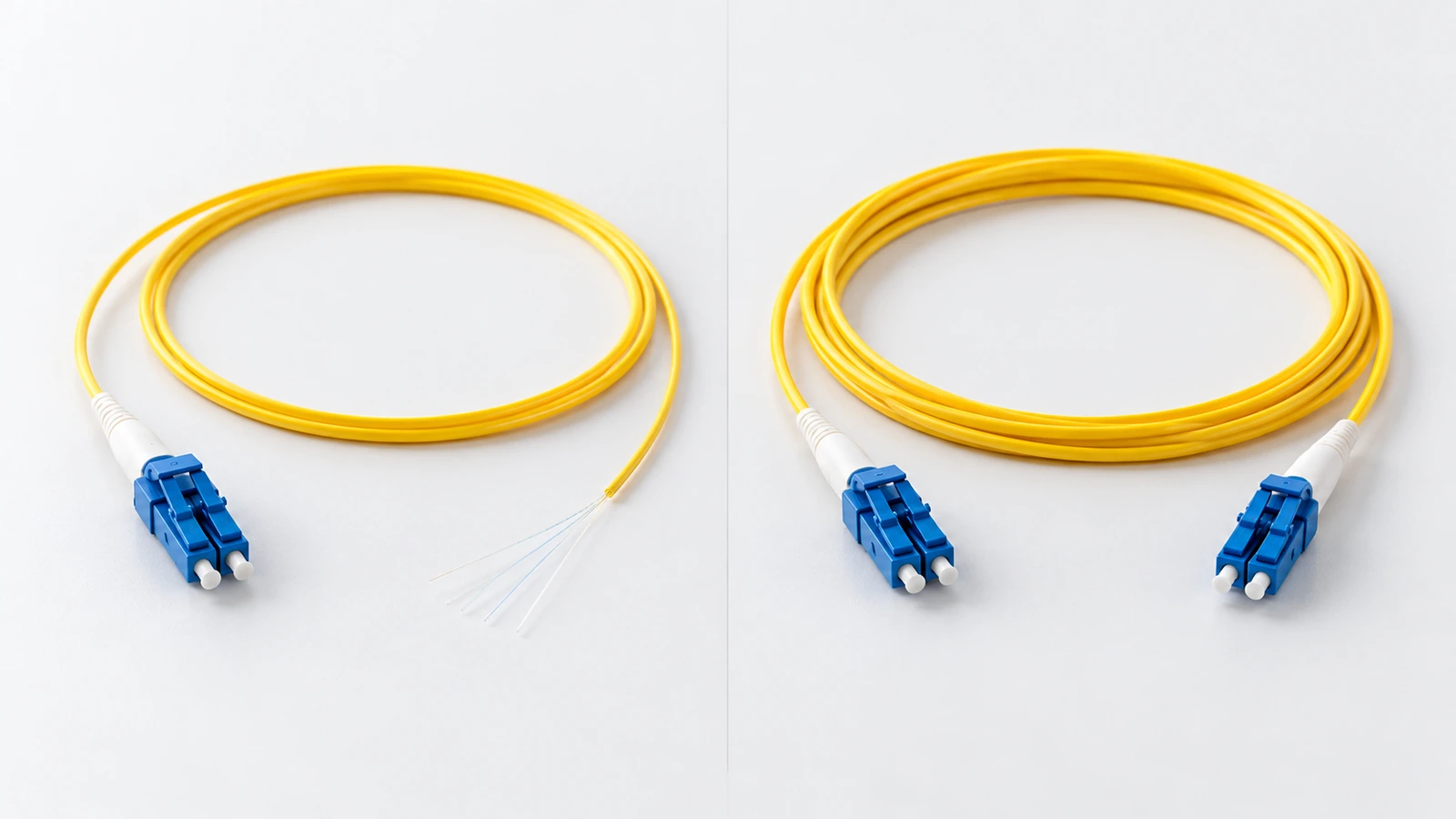
Fiber Optic Pigtail vs. Patch Cord
| Selection point | Fiber optic pigtail | Fiber patch cord |
|---|---|---|
| Connector ends | One connectorized end and one bare fiber end | Connectors on both ends |
| Typical role | Terminating installed cable by splicing | Connecting two compatible ports or adapters |
| Typical location | ODF, splice tray, terminal box, or enclosure | Equipment rack, patch panel, or device-to-panel link |
| Key specifications | Connector, polish, fiber count, length, construction, splice arrangement | Both connector ends, fiber type, length, jacket, polish, simplex/duplex |
Choose a pigtail when the installed cable needs a spliced connectorized termination. Choose a patch cord when both sides already have compatible connector interfaces. Do not assume one is a universal substitute for the other.
How to Choose the Connector Interface
Start with the adapter, panel, or equipment interface the connectorized end must fit. LC connectors are compact and commonly used where port density matters. SC connectors have a larger push-pull interface and are widely used in telecom and fiber distribution equipment. The existing interface and project design—not a general claim that one type is better—should determine the choice.
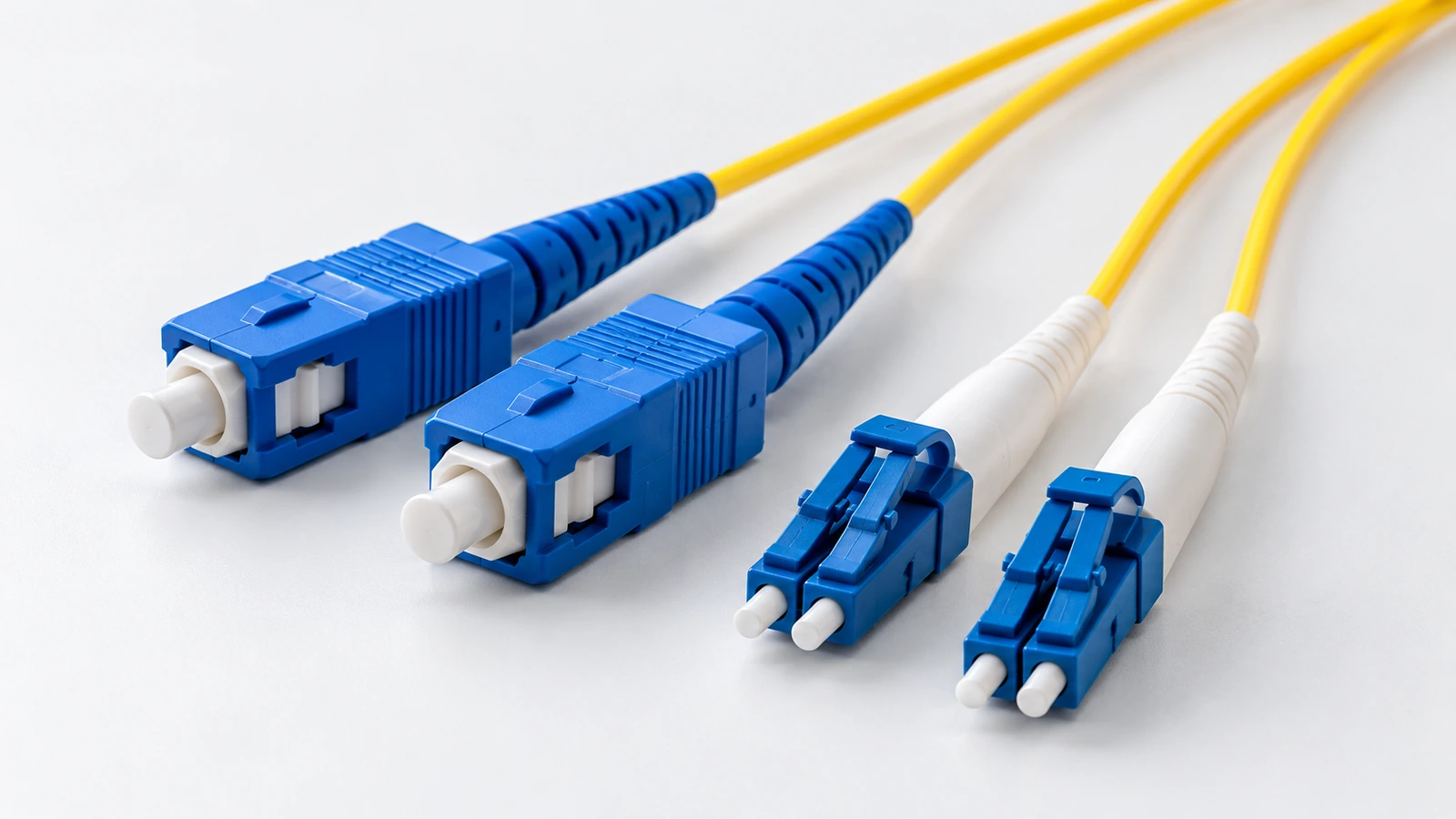
For a closer comparison of connector structures and coupling styles, read CableFam’s guide to LC, SC, ST, and FC fiber connectors.
UPC vs. APC: Confirm the Connector Polish
UPC and APC describe the polish of the connector end face; they are not connector interface names. Confirm the required polish from the equipment and optical link specification. Do not assume UPC and APC connectors can be directly mated simply because they use the same connector family.
CableFam’s LC UPC vs. LC APC guide explains the distinction in more detail.
Confirm Fiber Type, Fiber Count, and Length
The pigtail must match the fiber used in the installed cable. Single-mode and multimode are different fiber categories, so do not select a pigtail by connector appearance alone. If the project specifies a standard such as G.652.D, record it explicitly and check the pigtail specification.
Fiber count is equally important. A single-fiber pigtail and a 12-fiber pigtail assembly are not interchangeable purchase descriptions. Confirm the number of fibers, how the fibers are arranged, how the connectorized ends are supplied, and whether individual identification is required.
Also confirm the required length and cable construction. Enclosure space, splice-tray layout, bend management, and routing can affect the practical length. Do not assume every pigtail uses the same buffer diameter, jacket, or fanout construction; use the exact product specification.
When Does a 12-Fiber Pigtail Make Sense?
A 12-fiber pigtail configuration may suit an installation that needs to terminate a 12-fiber cable or organize multiple connectorized fibers at a distribution point. The correct assembly depends on the project’s fiber count, connector arrangement, splice tray, and labeling plan.
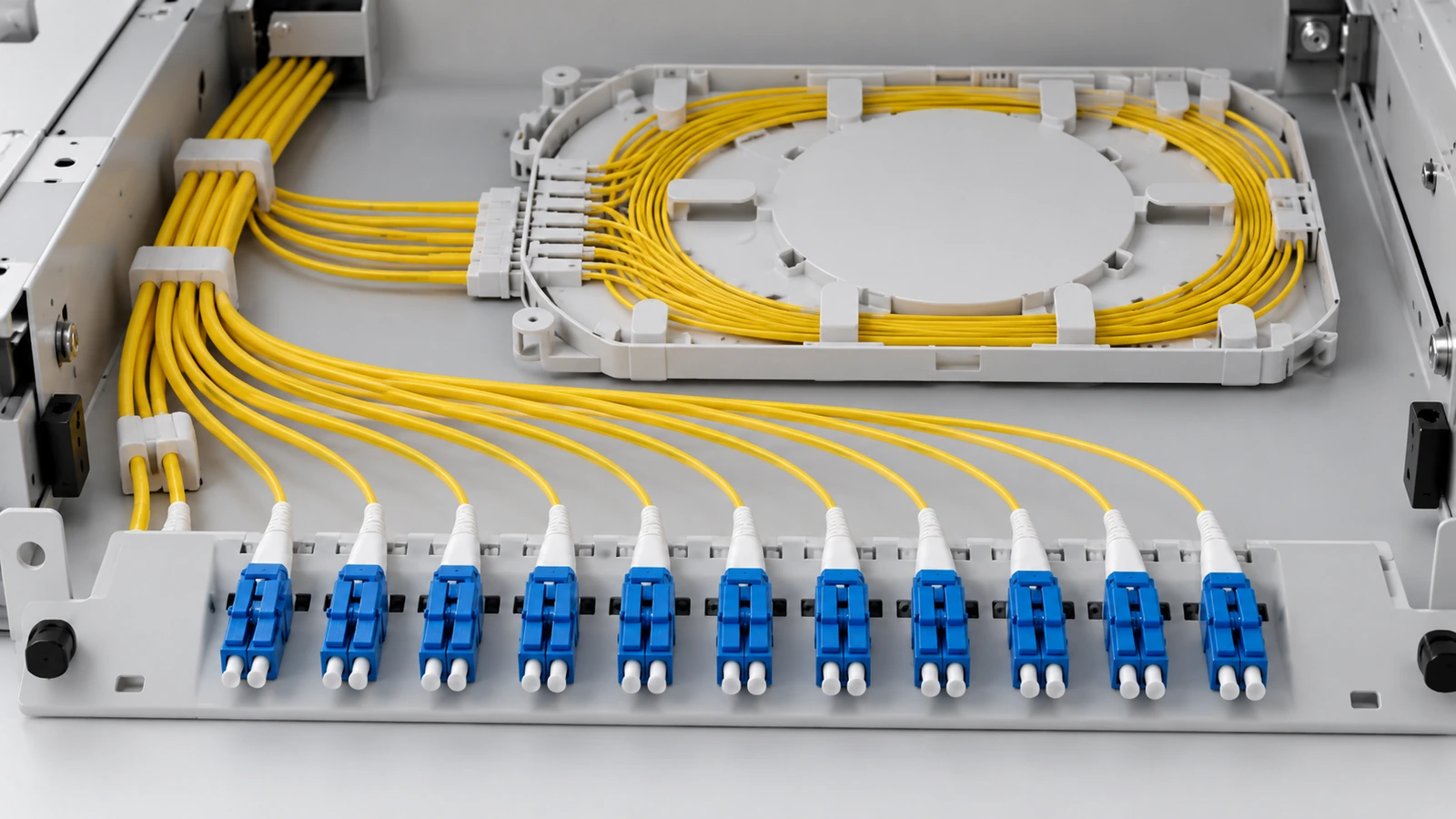
Before ordering a multi-fiber set, confirm whether the supplier provides individual pigtails or a bundled/fanout assembly, how many connectorized ends are included, and how the fibers are labeled. The phrase “12 fiber” alone does not define every detail of the assembly.
To explore CableFam’s current Fiber Optic product range, review the exact product specification before ordering. Confirm the connector, polish, fiber type, fiber count, length, and construction rather than relying on the title alone.
Common Pigtail Selection Mistakes
- Ordering a patch cord instead of a pigtail: a patch cord has connectors on both ends; a pigtail leaves one end for splicing.
- Choosing only by connector family: LC or SC does not specify fiber type, polish, fiber count, or length.
- Ignoring UPC/APC: confirm the required polish and compatible mating components.
- Ignoring the enclosure: check tray capacity, bend management, lead length, and cable routing.
- Leaving out fiber count and labeling: multi-fiber orders should specify the count, connector arrangement, and identification plan.
- Assuming generic loss figures apply to every model: use the actual product specification and project acceptance requirements.
Fiber Optic Pigtail Ordering Checklist
Before issuing a purchase order, record the connector interface, UPC/APC polish, fiber category and standard, fiber count, length, cable or buffer construction, splice-tray requirements, labeling, and required acceptance tests. If the pigtail will connect to an existing panel, verify the installed interface and polish instead of relying on an incomplete label.
FAQ
What is the main difference between a pigtail and a patch cord?
A pigtail has a connector on one end and an unterminated fiber end on the other, commonly for splicing. A patch cord has connectors on both ends and connects compatible ports.
Does every pigtail have 12 fibers?
No. Fiber count depends on the product and project. Specify the required count and confirm how the connectorized ends are arranged and supplied.
Should I choose LC or SC?
Choose the interface that matches the installed adapter, panel, or equipment port. Consider port density and the project design, but confirm compatibility before ordering.
Can UPC and APC pigtails be used together?
Do not assume they can be directly mated. Confirm the required polish and use compatible connectors and adapters.
What should be checked before splicing a pigtail?
Confirm fiber compatibility, the approved splice method, enclosure and tray capacity, fiber routing, labeling, and the required test procedure.
Conclusion
A fiber optic pigtail is selected by more than its connector name. Confirm the interface and polish, match the fiber type and count, and make sure the length and construction fit the splice tray or enclosure. Most importantly, distinguish a pigtail from a patch cord: a pigtail provides a connectorized end for a spliced termination, while a patch cord connects two already-connectorized ports.